Baking
Bake texture maps directly from SDF data using orthographic ray-marching projection. No mesh conversion required.
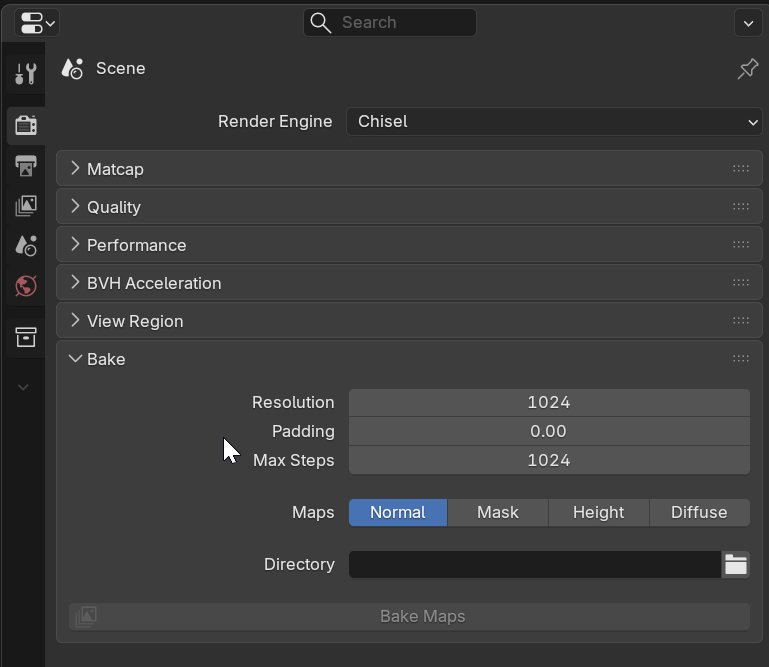
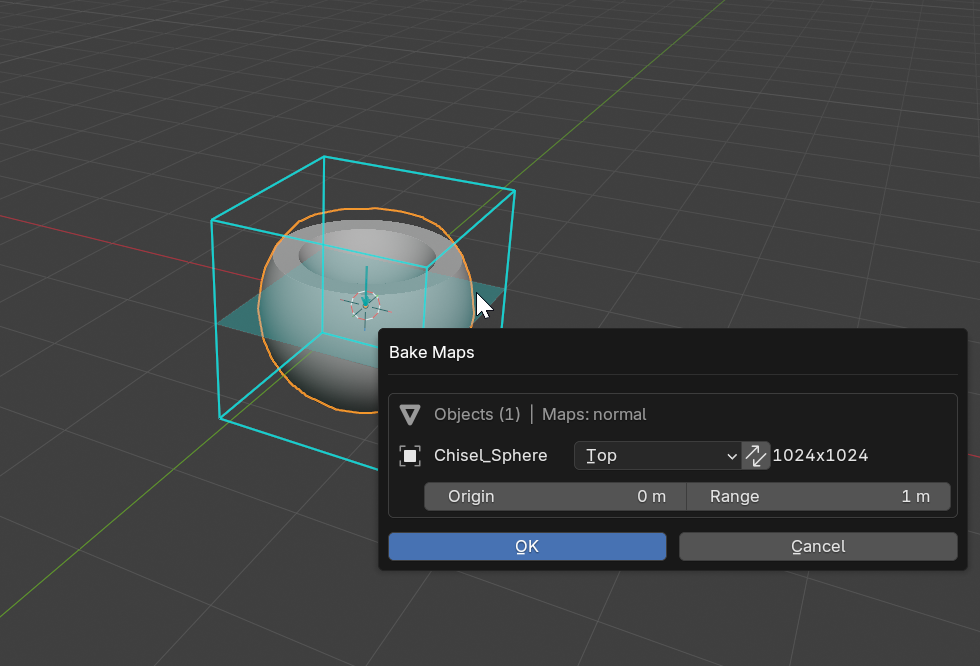
Basic Usage
- Select the Chisel render engine
- Open Render Properties > Bake panel
- Enable the maps you want to bake (Normal, Height, Mask, Diffuse)
- Set the bake direction and resolution
- Choose an output directory
- Click Bake Maps
Parameters
Resolution
- Range: 128 to 4096
- Default: 1024
- Effect: Pixel count along the longer axis
Padding
- Range: 0.0 to 0.5
- Default: 0.0
- Effect: Edge crop fraction to remove black border artifacts
Max Steps
- Range: 64 to 4096
- Default: 1024
- Effect: Ray-marching iterations for baking precision
Direction
Choose the orthographic projection direction:
| Direction | View |
|---|---|
| Top | +Z looking down |
| Bottom | -Z looking up |
| Front | -Y looking forward |
| Back | +Y looking backward |
| Left | -X looking right |
| Right | +X looking left |
Flip
- Swap width/height (use Y for the longer dimension)
Output Directory
- Folder path for saved map files
Map Types
Normal Map
- Output: RGB world-space normals (R=X, G=Y, B=Z)
- Use case: Apply to low-poly mesh for high-detail shading
- Normals are computed analytically from the SDF gradient, capturing all rounding, blending, and boolean detail
Height Map
- Output: Grayscale linear depth (white = closest, black = farthest)
- Use case: Displacement maps, parallax mapping, terrain data
- Height Range: Distance range mapped to the grayscale output (default 1.0 Blender unit)
Mask Map
- Output: Black and white silhouette (white = surface, black = empty)
- Use case: Alpha masks, compositing, trim sheet boundaries
- Edge Blend: Pixel radius for softening the mask edge (0.0 = sharp, soft max 50.0)
- Mask to Alpha: Embed mask as alpha channel of the normal map
Diffuse Map
- Output: Matcap-shaded render of the SDF
- Use case: Stylized textures, preview renders, trim sheets with shading
Per-Object Overrides
Each Chisel object can override the global direction and flip settings in its Object Properties panel.
See Also
- Render Tab - Real-time ray-marching settings
- Convert - Mesh conversion alternative