Modifier Tab
Chisel adds its own modifier section in the Modifier tab, with a toolbar for quick access to common operations.
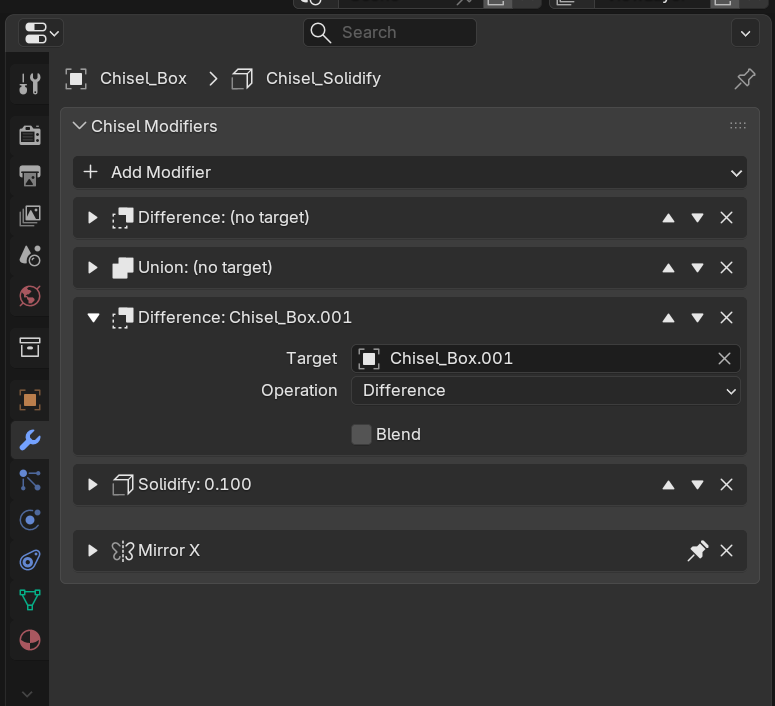
Toolbar
The modifier panel toolbar provides quick-add buttons for all modifier types. Click any button to immediately add that modifier to the active object.
Controls
- Add Modifier: Menu to add Boolean, Solidify, Mirror, or Array
- Modifier List: Each modifier with expand/collapse, move up/down, delete
- Expand New Modifiers: When enabled, newly added modifiers are automatically expanded
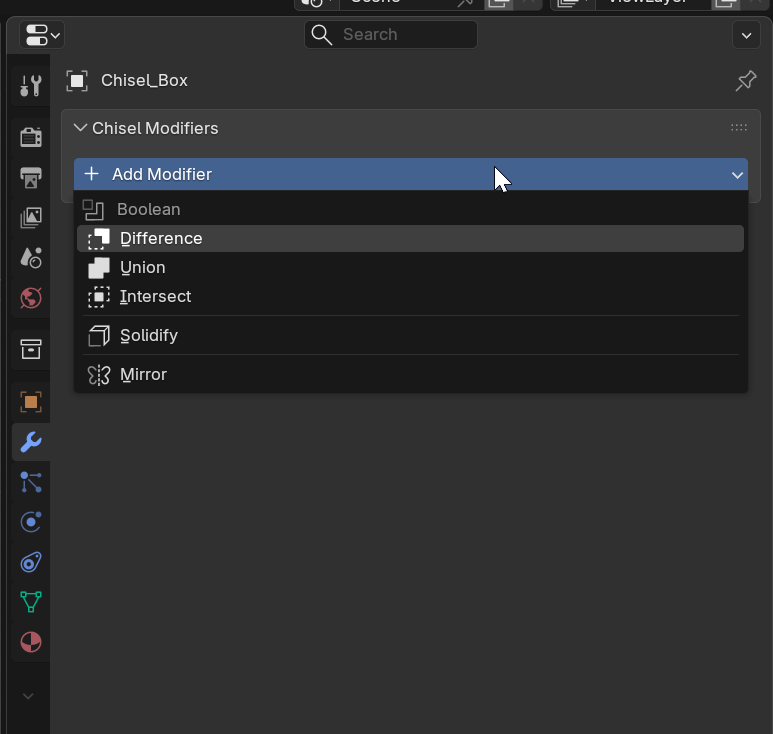
Modifier Types
Boolean Items
- Target: Selector for the boolean operand object
- Operation: Difference / Union / Intersect
- Blend Radius: Smooth transition radius (0.0-2.0, soft max 1.0)
- Blend Profile: Round / Sharp / Soft / Tight / Chamfer
- Blend Smooth: Chamfer softening (Chamfer profile only, 0.0-1.0)
Solidify Items
- Thickness: Shell wall thickness (0.001-10.0, default 0.1)
Mirror Items
- Axes: X / Y / Z toggles (default X)
- Flip: Per-axis flip direction
- Blend: Smooth fillet radius at mirror plane (0.0-2.0, soft max 0.5)
- Origin: Optional object to use as mirror origin
Array Items
- Type: Line / Circle
- Count: Number of copies (1-50, default 2)
- Line mode: Relative Offset toggle, offset vector
- Circle mode: Axis (X/Y/Z), Radius
- Smooth: Blend radius between copies (0.0-2.0, soft max 0.5)
Each Chisel modifier also creates a corresponding Blender modifier for viewport visualization (when Use Blender Modifiers is enabled in Preferences). Warning indicators appear if the link becomes out of sync.
See Also
- Modifiers - Detailed modifier documentation
- Blending - Blend profile details
- Object Tab - Primitive settings
- Preferences - Use Blender Modifiers toggle