Blending
Blending controls how boolean operations transition between shapes. Instead of sharp intersections, blending creates smooth fillets where shapes meet.
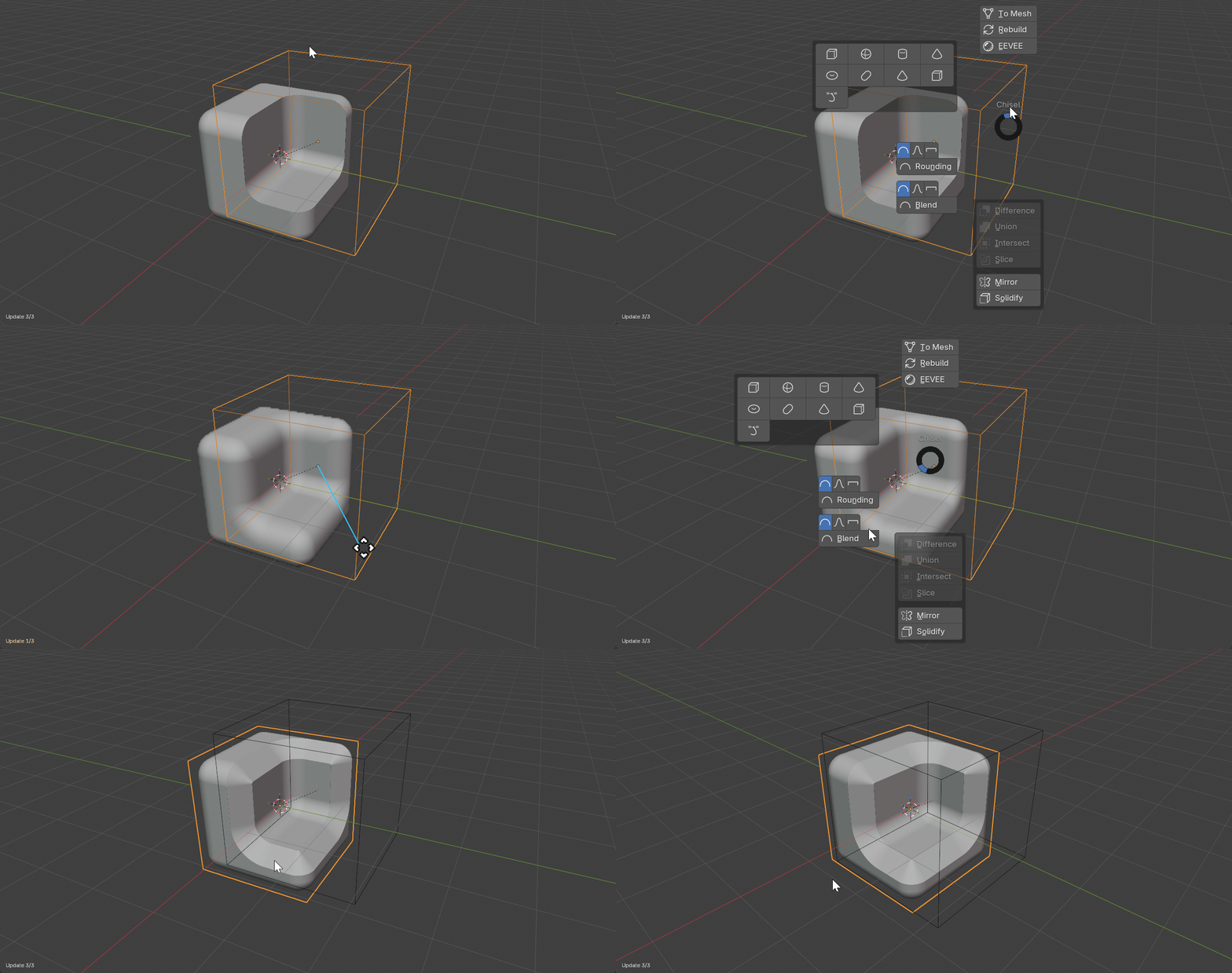
Available Blend Profiles
- Round Blend (L2 norm): Circular fillet, smooth natural transition
- Sharp Blend (L4 supercircle): Tight-kneed fillet
- Soft Blend (L3 norm): Gentle C2-continuous blend
- Tight Blend (L8 norm): Squared fillet, deepest blend
- Chamfer Blend (L1 norm): Flat 45-degree chamfer with optional smoothing
How Blending Works
When a Boolean modifier has a Blend Radius greater than 0, the hard boolean operation is replaced with a smooth variant. The distance fields are interpolated within the blend zone, creating a fillet.
Hard Boolean (Blend Radius = 0)
- Union:
min(d1, d2)- sharp crease at intersection - Difference:
max(d1, -d2)- sharp cut edge - Intersect:
max(d1, d2)- sharp intersection line
Smooth Boolean (Blend Radius > 0)
- The shapes smoothly flow into each other within the blend zone
- Blend profile controls the cross-section shape of the fillet
- Blend radius controls the width of the transition
See Also
- Boolean Modifier - Where blending is applied
- Rounding - Same profiles available for primitives