Modifiers
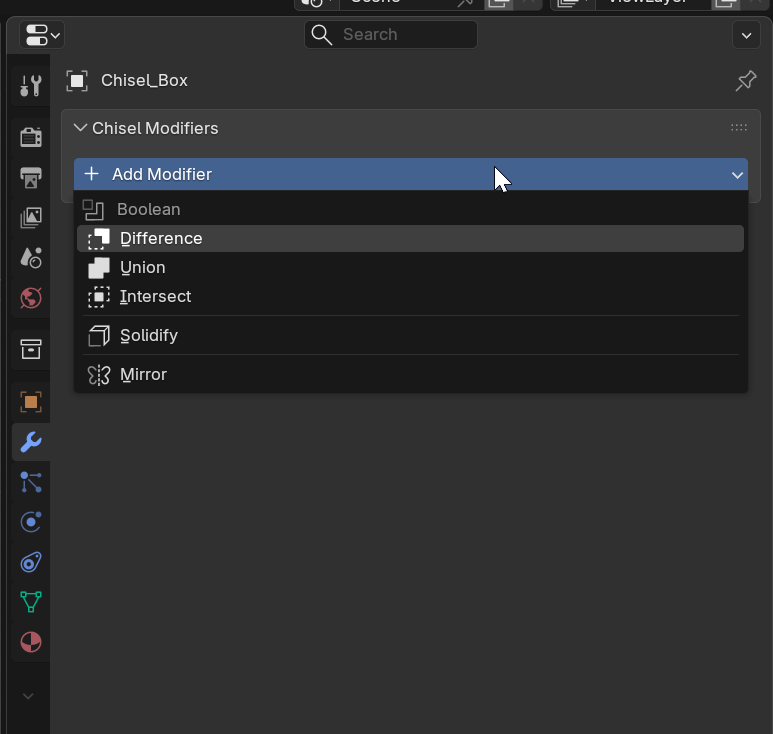
Chisel provides its own modifier stack that operates on SDF data. Modifiers are managed in the Modifier tab under the Chisel Modifiers section.
Available Modifiers
- Boolean: Difference, Union, Intersect, Slice with blending
- Solidify: Create hollow shells
- Mirror: Symmetry with optional blend seam
- Array: Linear repetition via domain repetition SDF
- Circle Array: Radial repetition via domain folding
Adding Modifiers
- Select a Chisel object
- Open the Modifier tab in the Properties panel
- Click Add Modifier in the Chisel Modifiers section
- Or use the Pie Menu (
Q) > South for quick-add
Modifier Stack
Modifiers are applied in order from top to bottom. You can:
- Expand/Collapse each modifier for detail
- Move Up/Down to reorder the stack
- Delete to remove a modifier
Each Chisel modifier also creates a corresponding Blender modifier for viewport visualization. Warning indicators appear if the link between Chisel and Blender modifiers becomes out of sync.
See Also
- Blending - Smooth transitions for boolean operations
- Primitives - Shapes to combine
- Interface - Panel locations