
Quality
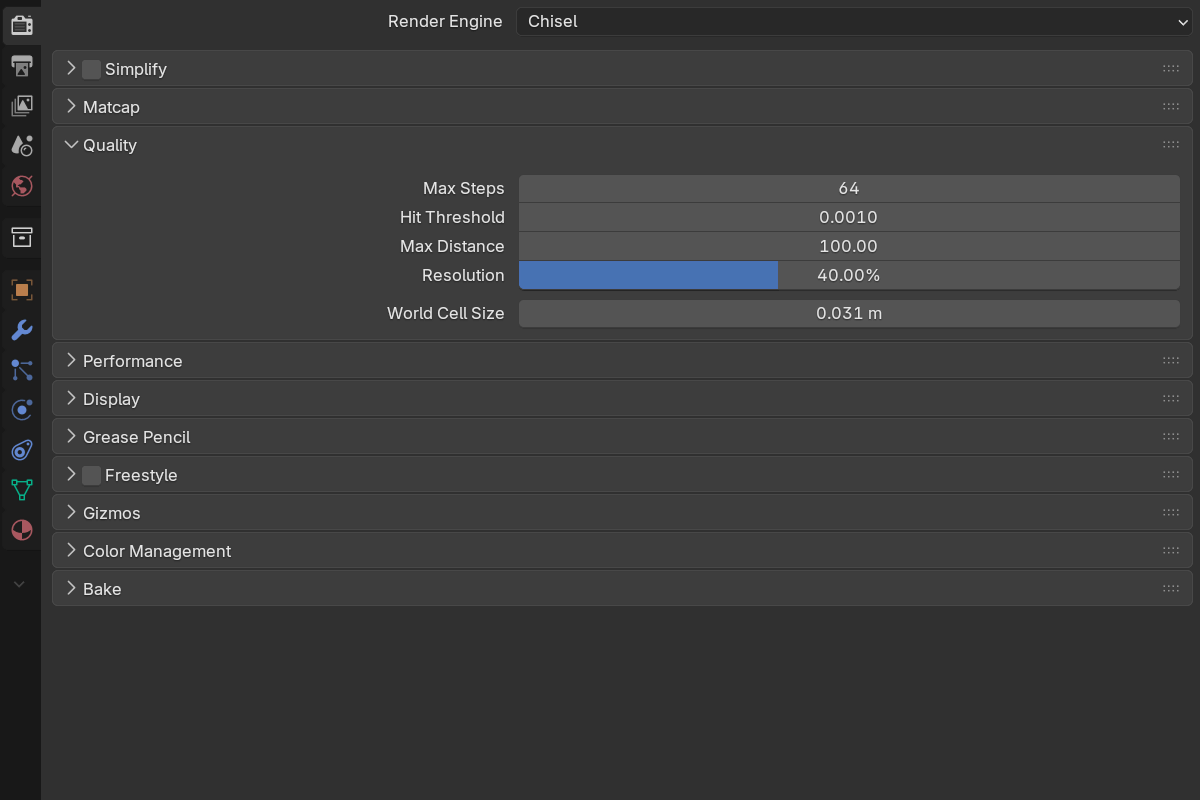
The Quality group controls how rays advance through the scene at full quality — the settled frame, and the F12 camera render — plus how finely shapes are baked into the brick volumes the renderer marches through. Higher settings = sharper surfaces, slower frames. (The reduced settings used while you interact live in Performance.)
Ray marching
- Max Steps —
16–4096, default64. Maximum ray-marching iterations per pixel. Raise if surfaces look chunky at silhouettes; lower for speed. - Hit Threshold —
0.0001–0.01, default0.001. Distance under which a ray is considered to have hit. Lower = more precise contact, especially for thin features and tight corners. - Max Distance —
10–1000, default100. Hard cap on ray travel. Increase if far objects fade out unexpectedly. - Resolution —
1–100%, default40%. Internal resolution of the settled (full-quality) frame as a fraction of the viewport. Raise toward100%for pixel-exact stills; drop it for an instant speedup on a large monitor.
Brick detail
Chisel bakes each shape into a sparse brick volume and marches that, instead of evaluating the full expression at every step. One setting controls how fine those bricks are:
- World Cell Size — default
0.031 m(1/32 of a Blender unit), soft max1.0. The finest hierarchy cell edge, in world units. This is the master detail knob: halve it for twice the surface detail at roughly eight times the memory.
Brick detail is resolution-driven per object; the constant-world-voxel mode from earlier versions has been retired. Local edits re-bake only the bricks they intersect, so working at full detail no longer means waiting for whole-object bakes.
Adaptive fine detail runs automatically on top of this: nested higher-resolution voxel regions are added around small details inside larger objects, so a fine engraving on a big panel resolves without paying for that resolution everywhere. There is no toggle for it in the shipped build — the Performance panel reports which chains it engaged on, and how much finer they went.
If a chain’s bricks exceed the page budget, the Performance panel reports it by name — that readout, not this panel, is where over-budget objects surface.
See also
- Performance — progressive refinement while you interact
- Matcap — viewport shading