
View Markdown
Mirror
Reflect an object across one or more planes. Mirrors give you a single, watertight result — no merge problems, no flipped normals — so an object mirrored across X + Y + Z is still one clean shape.
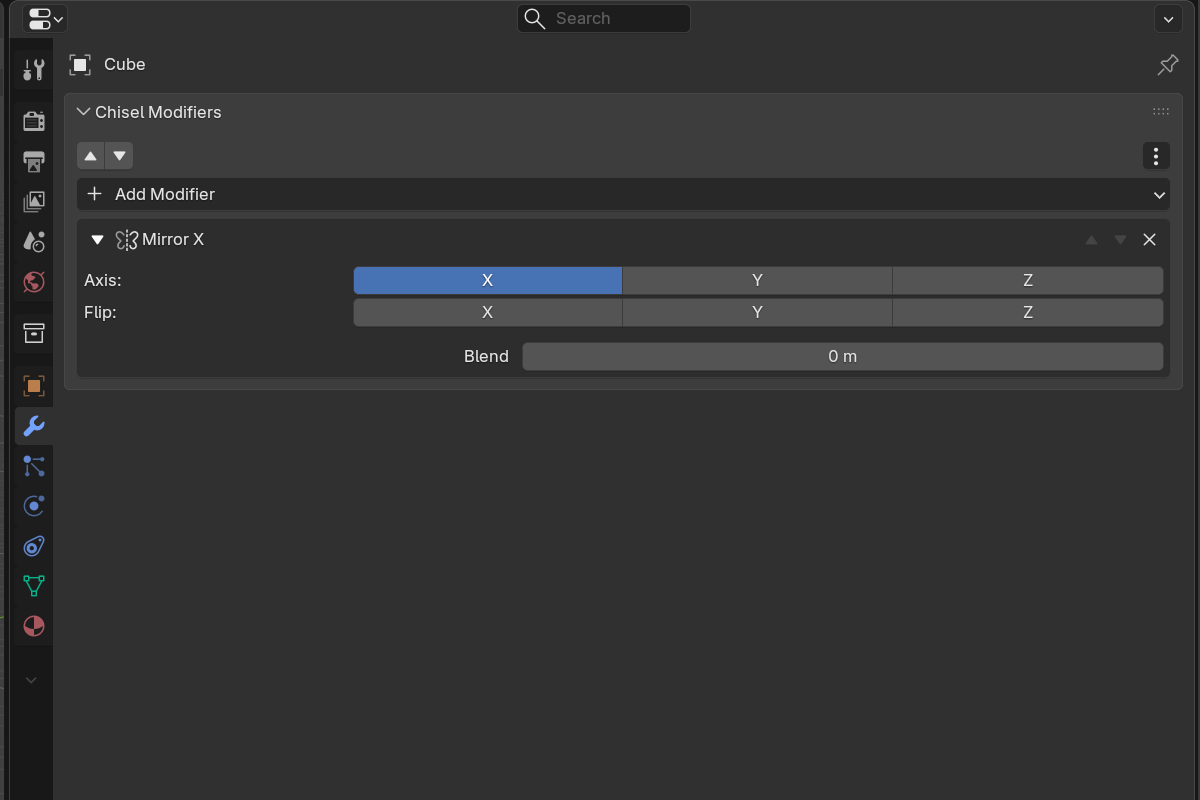
Parameters
- X / Y / Z — toggle each mirror axis
- Flip X / Y / Z — choose which side to keep when bisecting on that axis
- Mirror Blend — smooth fillet radius at the mirror plane (
0.0–2.0, soft max0.5).0.0= sharp bisect. - Mirror Origin — optional pointer to another object whose local axes drive the mirror. Leave empty to use the modified object’s own origin.
Mirror Smooth modal
A modal Mirror Smooth operator is available from the pie menu for live adjustment of the mirror blend radius. LMB-drag scales the radius, Shift slows for fine control, Enter confirms, Esc cancels.
Use cases
- Symmetric mech parts — model one half, mirror across X for free symmetry
- Architectural facades — central feature mirrored across both horizontal axes
- Organic forms — combine mirror with twist or bend for symmetric organics
See also
- Boolean — combining mirrored shapes with siblings
- Array — for repetition rather than reflection
- Rounding & Blending — what the blend radius does mathematically