
Panels
Chisel’s properties live in three panels: Object Properties (per-object SDF + modifiers), Material Properties (per-object color and node tree), and Render Properties (per-scene engine settings).
Object Panel
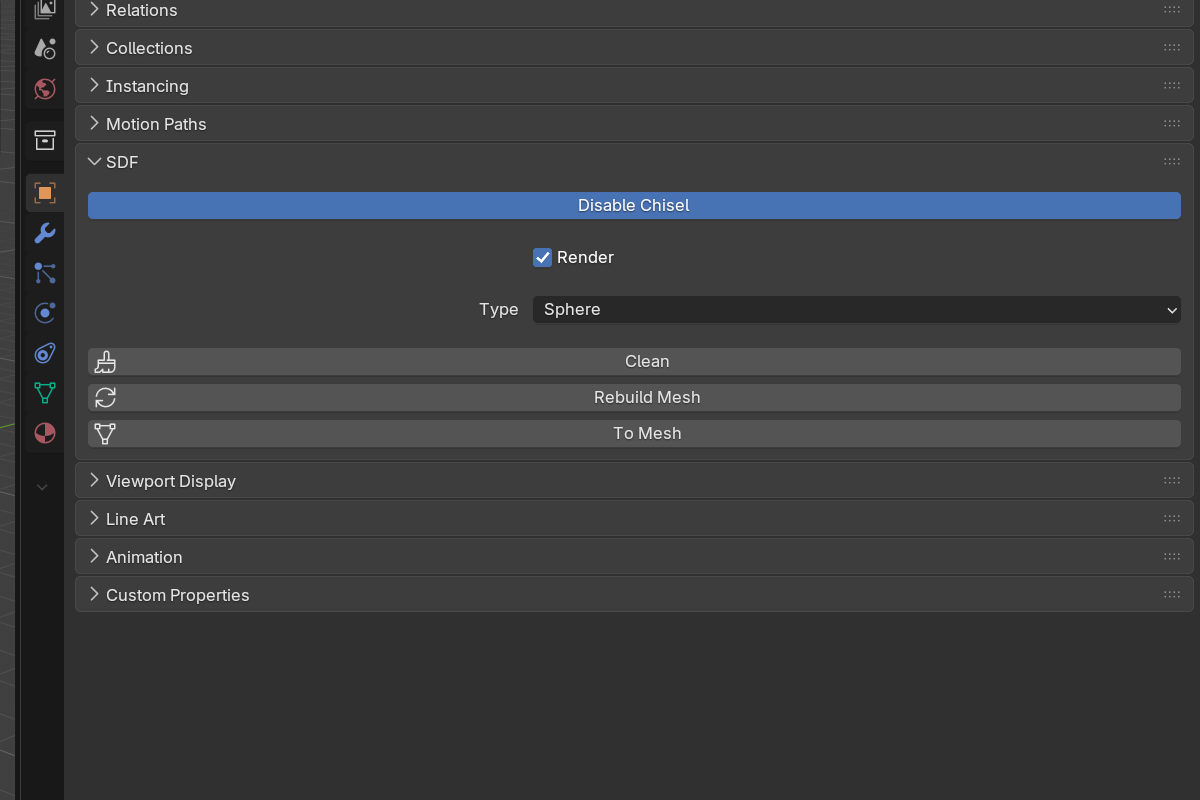
The Chisel section of Object Properties houses everything specific to the active object.
Primitive section
- Is Chisel — toggle SDF mode on/off. Disabling falls back to the standard mesh.
- Render — controls whether this object is included in the ray-marched render. It’s decoupled from viewport display: turn it off to drop the shape from the render while it still shows in the viewport (as a wire outline or bounding box if Outline is set).
- Primitive Type — change shape type after creation
- Half-Extents — derived from object scale; per-axis dimensions
- Shape parameters — depend on the primitive type (radius, depth, sides, cone cap, etc. — see Primitives)
- Rounding + Profile + Chamfer Smooth — edge-fillet controls (most primitives; see Rounding & Blending)
- Bevel + Bevel Profile + Bevel Chamfer Smooth — vertical-edge fillet controls (Prism and Trapezoid only)
Bake direction
For per-object bake setup (used when baking maps):
- Bake Direction — Top / Bottom / Front / Back / Left / Right
- Bake Flip — invert horizontal axis of the bake
- Bake Height Origin / Range — height-map remap window
Modifier list
Below the primitive section, the modifier list shows every Chisel modifier on the active object.
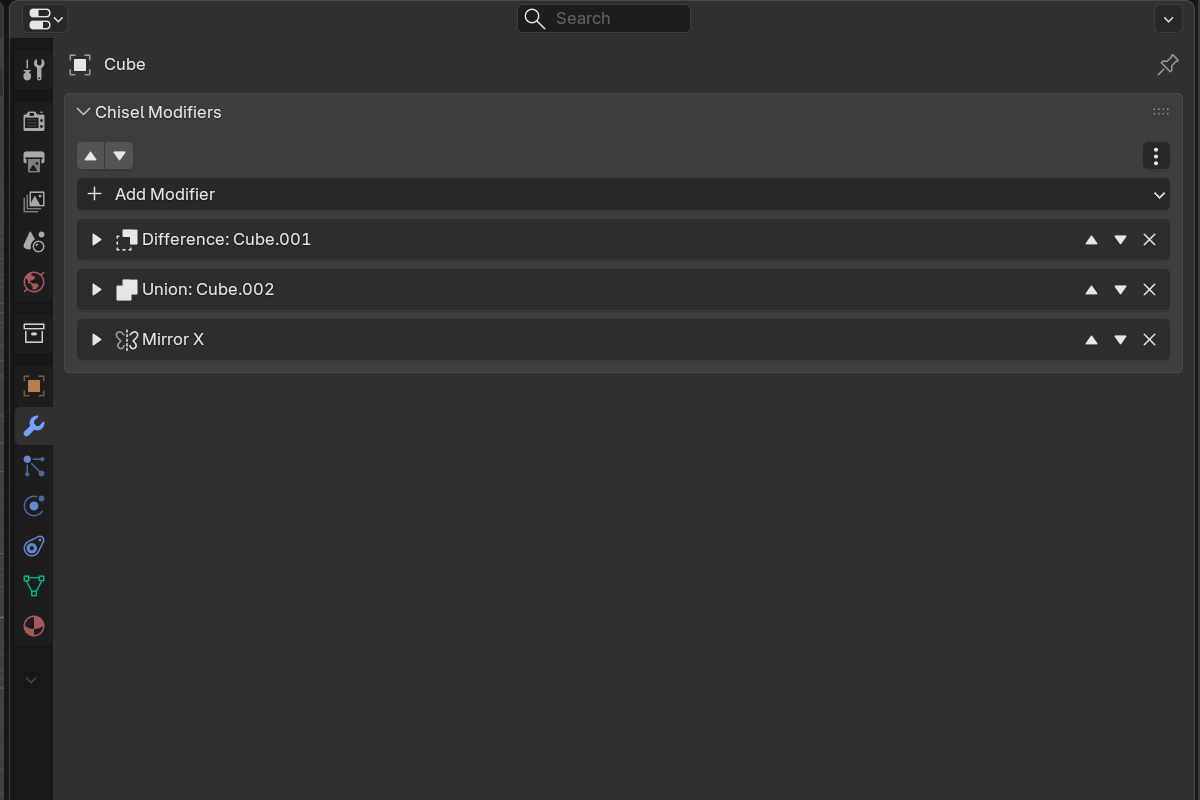
The toolbar at the top of the modifier list adds, removes, and reorders modifiers without dropping into menus.
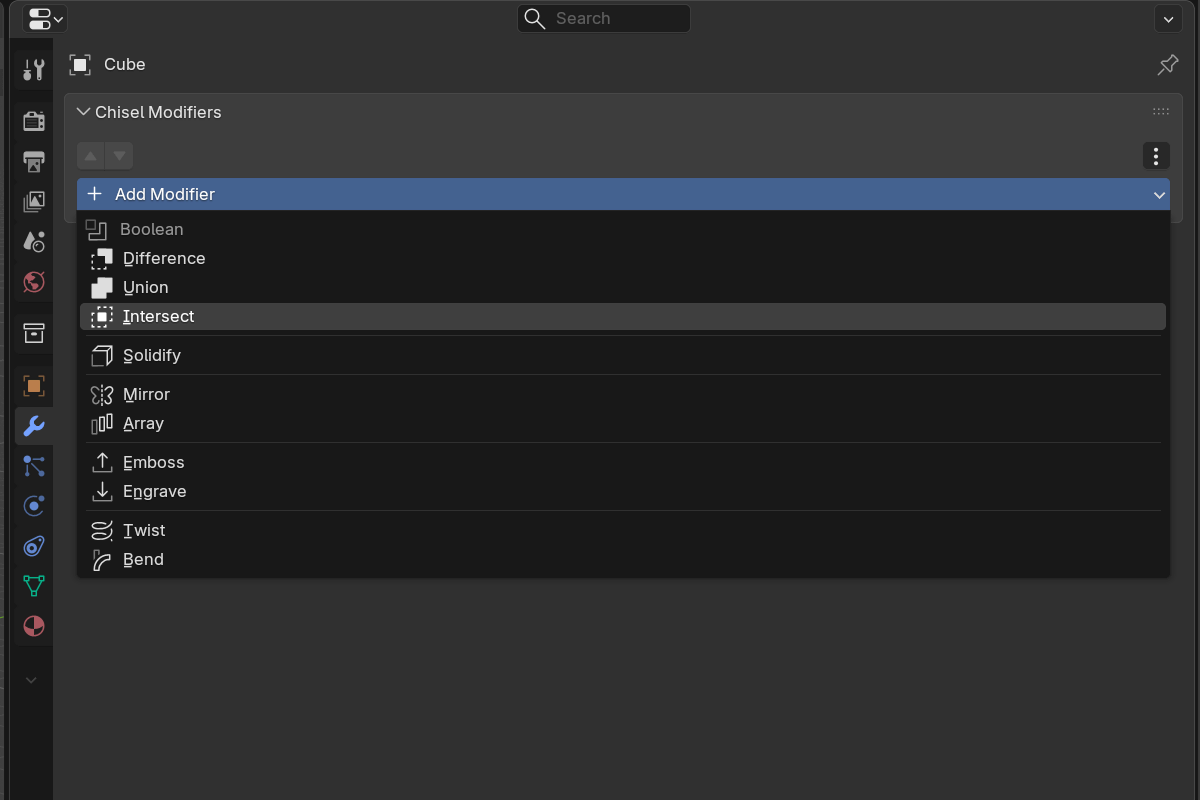
Each modifier row has:
- A header chevron to expand/collapse its options
- An operation icon (Difference / Union / Intersect / Mirror / Array / etc.)
- A target pointer where applicable
- A pin control — pin a modifier to keep it pinned to the bottom of the stack; newly added modifiers insert above the pins. See Modifiers for detail.
- Reorder, duplicate, and delete buttons
Each expanded modifier shows its own settings block — see Modifiers for the per-modifier parameter list and screenshots of each settings block.
Material Properties
Per-object color and the Chisel node graph live in Material Properties (red sphere icon). For the simple color workflow and the node editor, see Materials.
Render Properties
Set the engine to Chisel in Render Properties to enable. The full breakdown of render settings — quality, adaptive quality, matcap, display, proxy, baking — lives in Render Engine.