
View Markdown
Baking
Bake texture maps directly from the SDF using orthographic raymarching. No mesh conversion required.
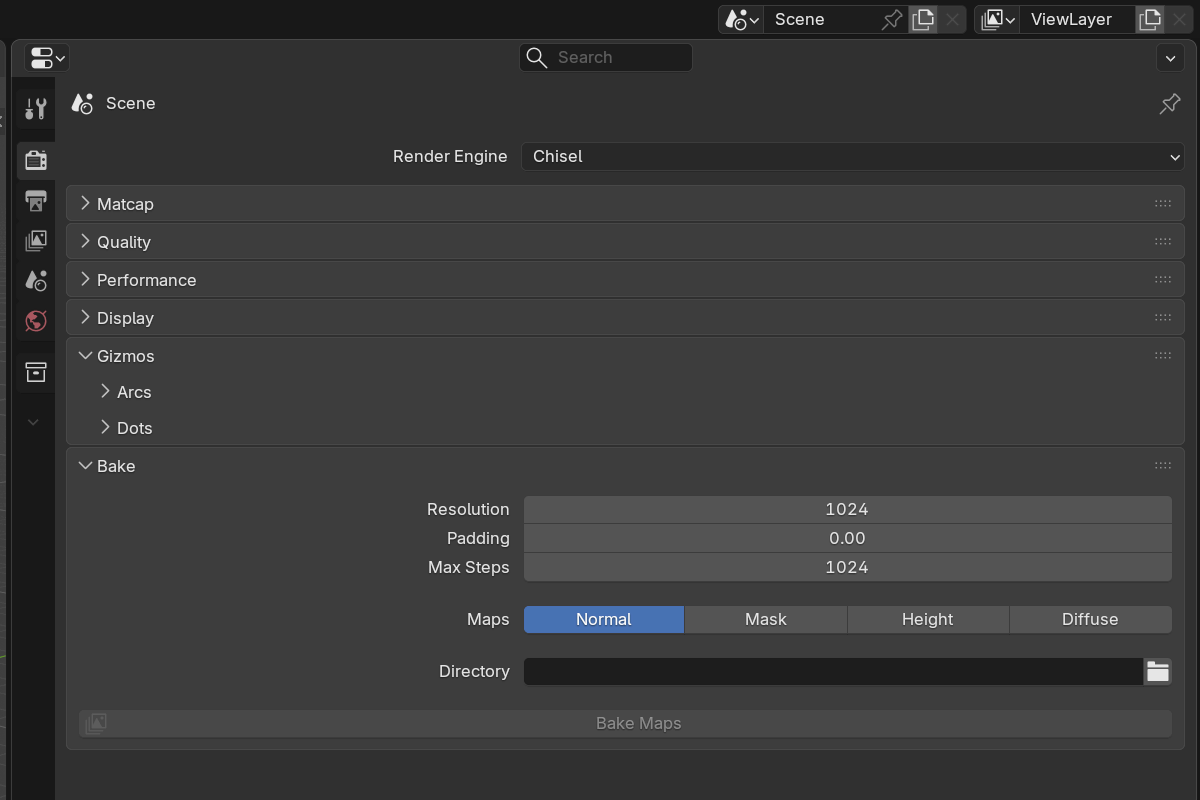
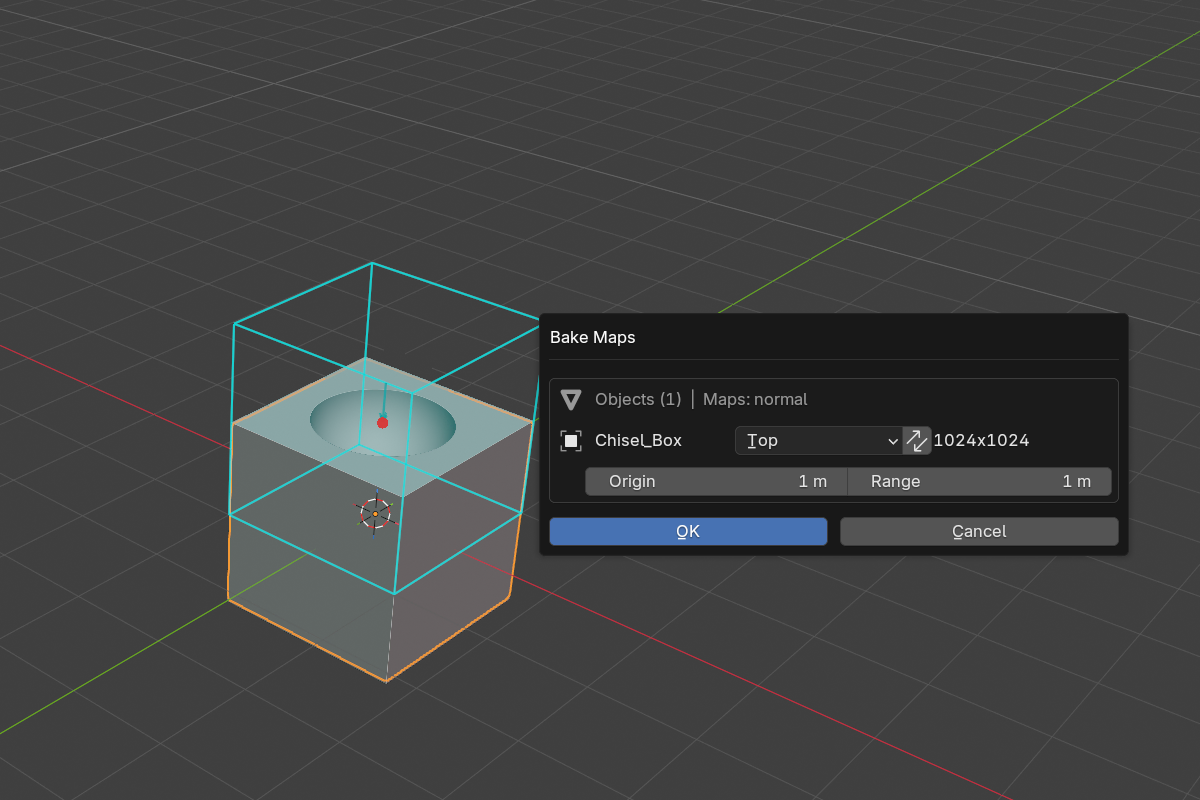
Workflow
- Switch to the Chisel render engine.
- Open Render Properties → Bake.
- Enable the map types you want.
- Set the bake direction (per object via Object Properties → Bake Direction) and resolution.
- Choose an output directory.
- Click Bake Maps.
Map types
- Normal — RGB world-space normals (R = X, G = Y, B = Z). Computed from the SDF gradient, so all rounding, blending, and boolean detail is captured exactly.
- Height — grayscale linear depth (white = nearest, black = farthest). Use for displacement maps, parallax, terrain.
- Mask — silhouette (white surface on black background). Use for alpha masks, trim-sheet boundaries.
- Diffuse — matcap-shaded render of the SDF.
Common settings
- Resolution —
128–4096pixels along the longer axis (default1024) - Padding —
0.0–0.5edge crop fraction (default0.0). Removes the black border on baked normals. - Max Steps —
64–4096ray-march iterations (default1024). - Output Directory — where the maps land.
Mask-specific
- Mask Edge Blend —
0–50pixel softening on the mask edge (default0.0). - Mask as Alpha — embed the mask in the normal map’s alpha channel (handy for packed textures in real-time engines).
Per-object bake direction
In Object Properties → Chisel → Bake:
| Direction | Looking |
|---|---|
| Top (default) | +Z down |
| Bottom | -Z up |
| Front | -Y forward |
| Back | +Y backward |
| Left | -X right |
| Right | +X left |
Plus Flip (swap horizontal axis), Height Origin, and Height Range for fine-tuning the height-map’s grayscale window.
Use cases
- Trim sheets — bake an SDF stack to a normal + mask trim sheet for use in a real-time engine
- Displacement maps — height-bake a stylized SDF for terrain or panel detail
- Game-ready textures — combined normal + mask via Mask as Alpha in a single texture
v3 fixes
In 3.0.0 baking routes through the same wgpu renderer the viewport uses, which fixed two long-standing bugs:
- All-black maps for boolean objects — chains now upload their per-primitive data the same way the viewport does, so booleans bake correctly instead of coming out solid black.
- Standalone bakes rendering the wrong output map — a normal, mask, or height bake of a standalone primitive now produces the map you asked for instead of falling back to the diffuse/empty branch.
See also
- Operations: Convert — full SDF-to-mesh conversion
- Quality — runtime ray-march settings (separate from bake settings)